Case study · Fintech product design
A workflow builder for people who do not write code.
For Rekord, I explored how banking teams could assemble credit decision workflows from familiar finance actions rather than technical building blocks.
Learn the space before drawing the flow.
Despite my economics background, I was unfamiliar with this area of banking. I spent three days studying the solutions and companies named in the design brief, along with others in the space. On the first day alone, I spent six hours on Palantir's website.
Of the possible challenges, I chose the workflow builder. For a first version, I also studied general-purpose builders including n8n and Sim AI, then exchanged notes with Sim AI's founding designer to test my assumptions about the canvas model.
A canvas can create work of its own.
Research left me skeptical of making drag and drop the only way to build a workflow. I identified five problems that could make a flow harder to create, inspect, or use:
- Inserting a step: placing a node between existing steps often requires disconnecting and reconnecting lines.
- Dragging: it is often unnecessary and can be difficult for people with accessibility needs.
- Growing diagrams: large canvases become crowded and difficult to scan or debug.
- Mouse dependence: important actions become inaccessible without pointer interaction.
- Visual polish over function: people may spend effort making a flow look neat instead of making it work well.
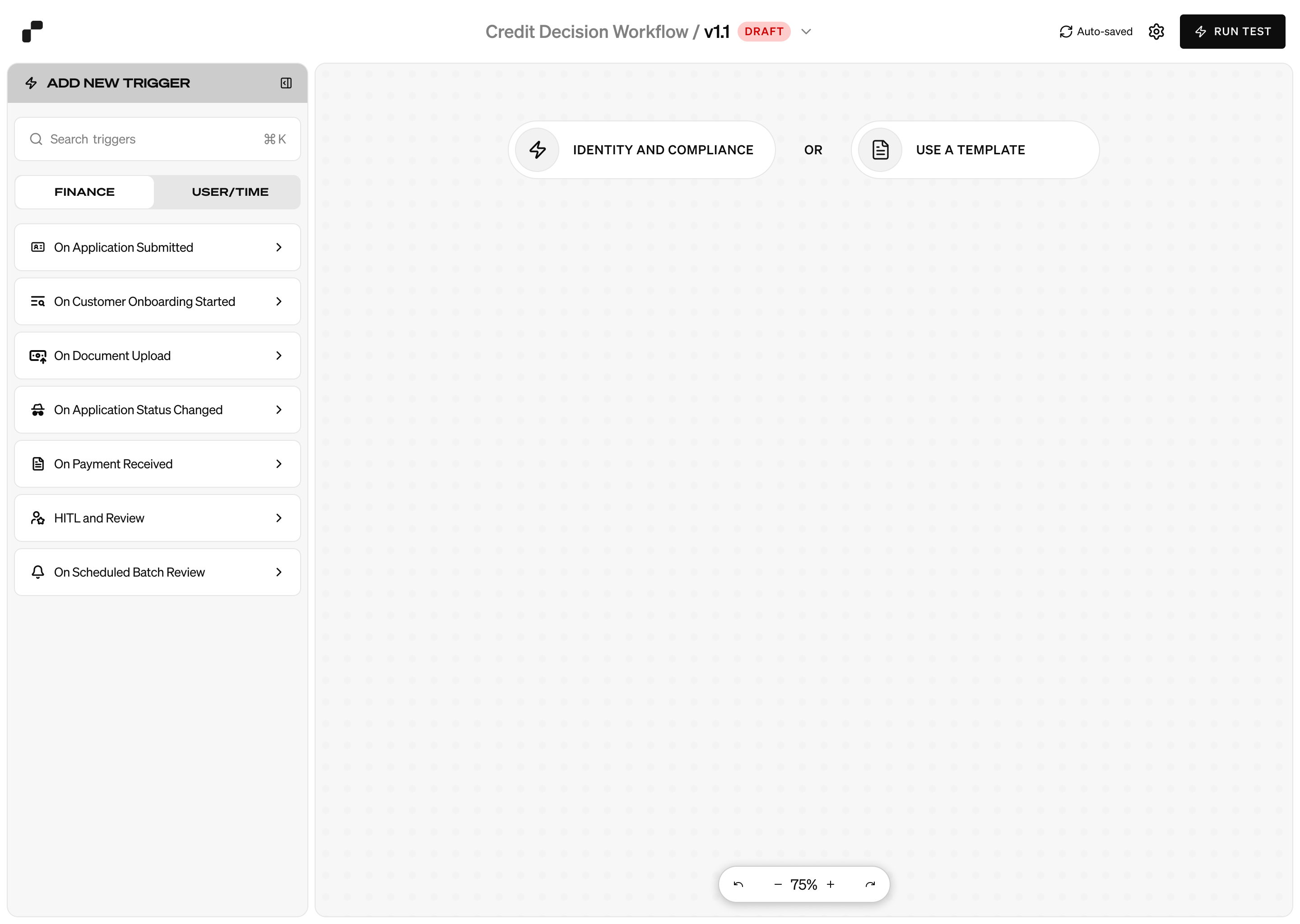
Keep the canvas, remove its bottlenecks.
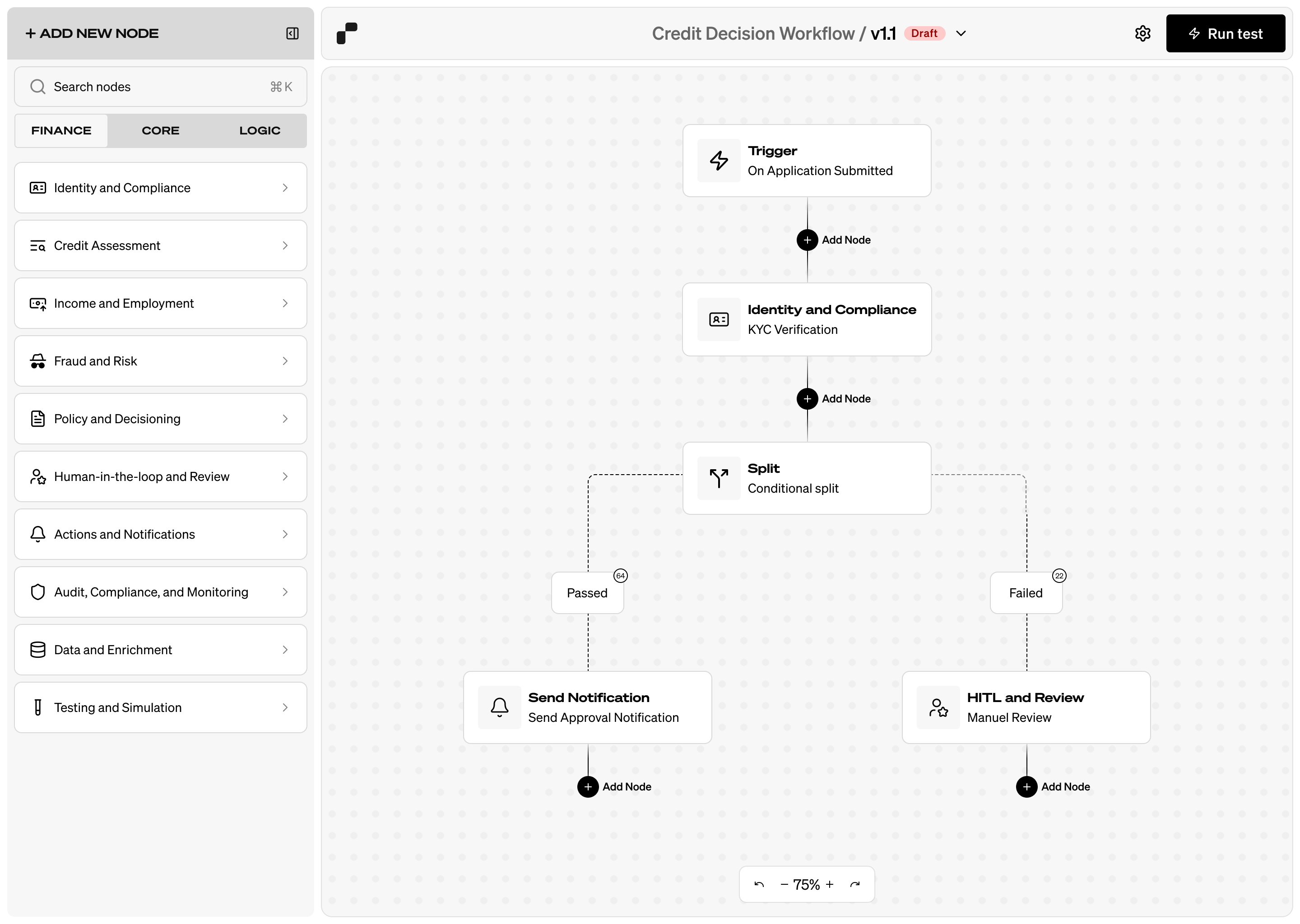
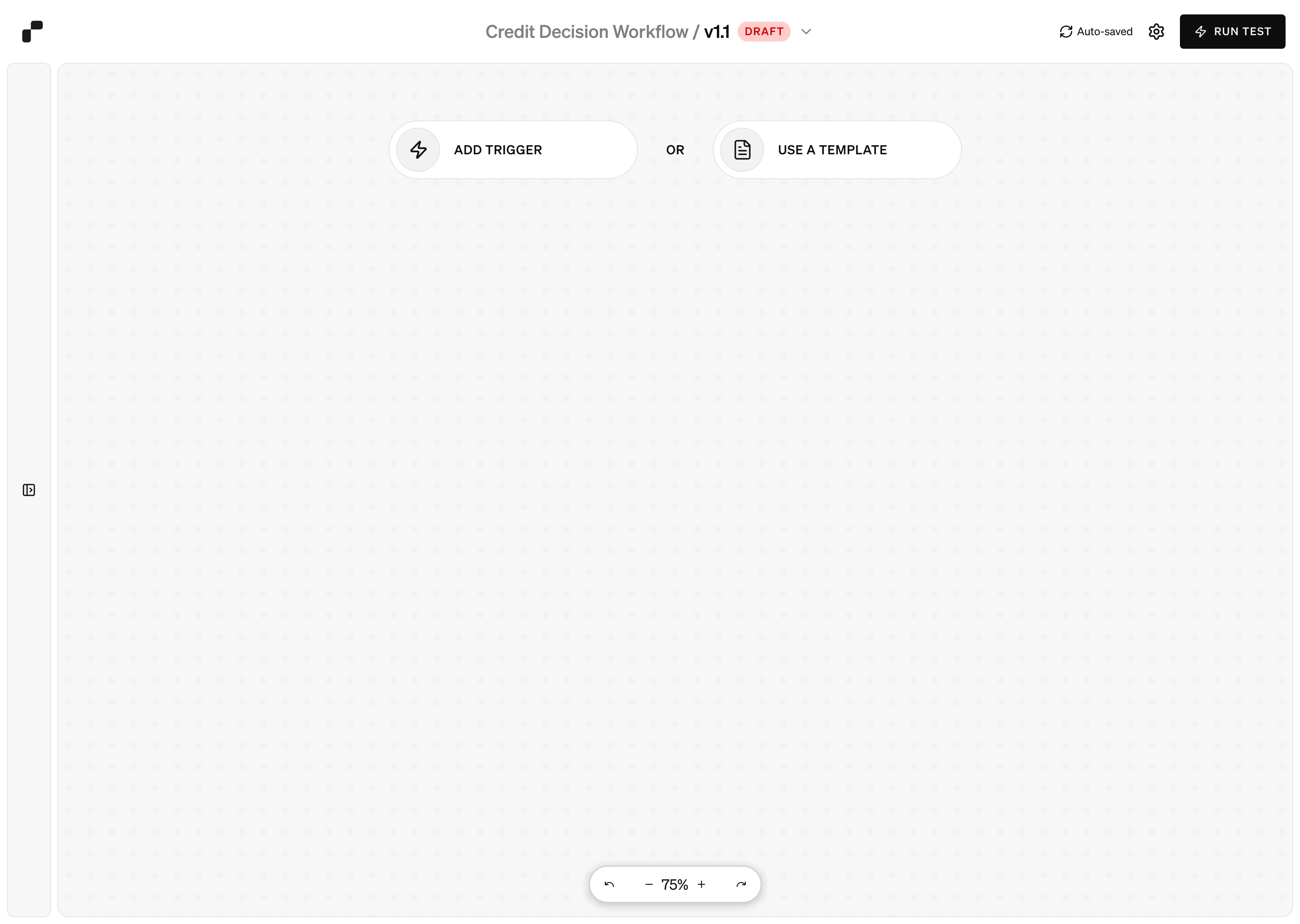
I proposed visible insertion zones while dragging, so dropping a node over a connection or an Add Node control would place it in the sequence automatically. Adding nodes should also work without dragging, potentially through a table-based alternative.
Grouping nodes could tame complex diagrams. Keyboard controls and shortcuts, including node insertion, could reduce dependence on the mouse. These were directions for the product; the first version did not implement most of them.
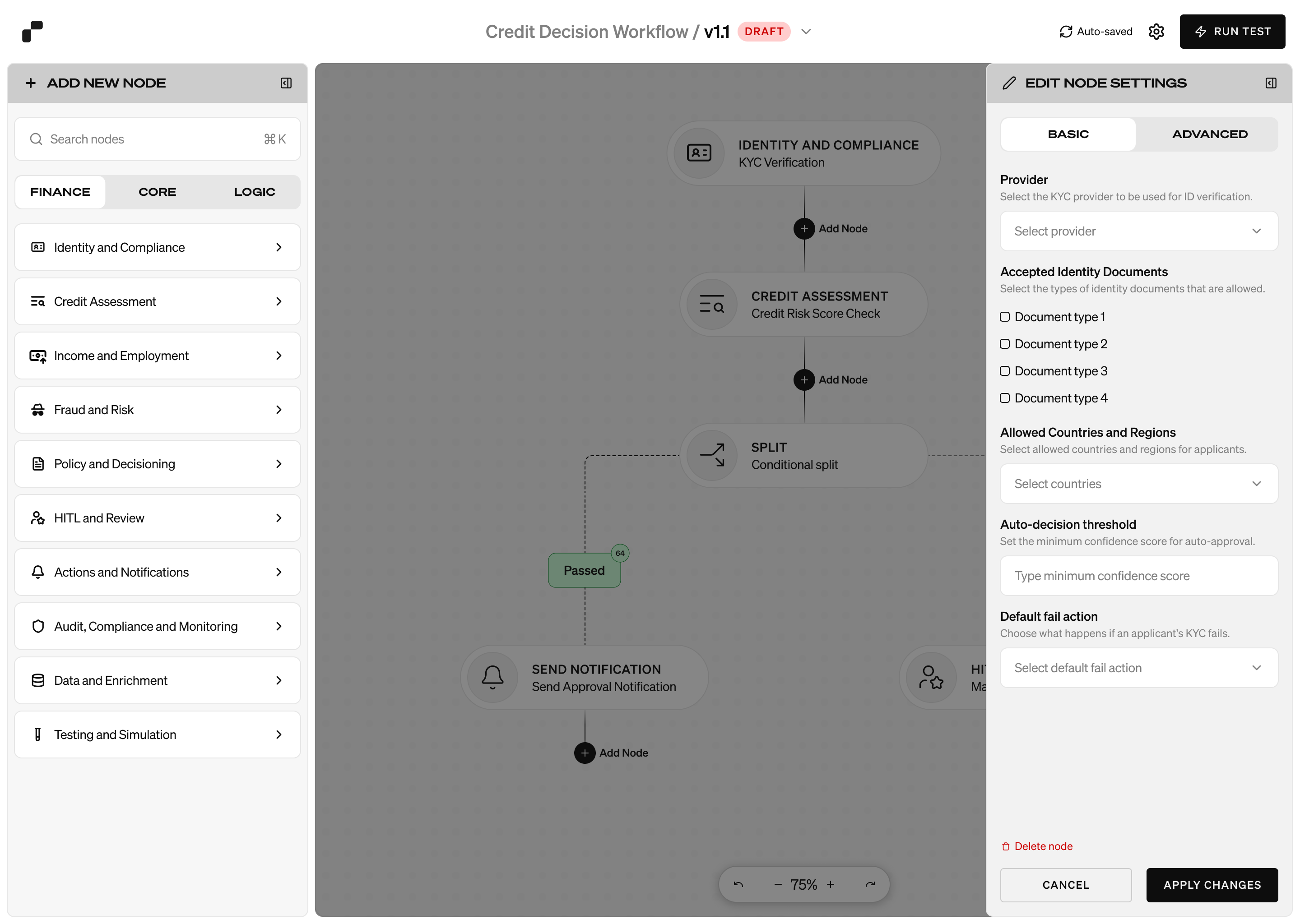
Make the building blocks speak finance.
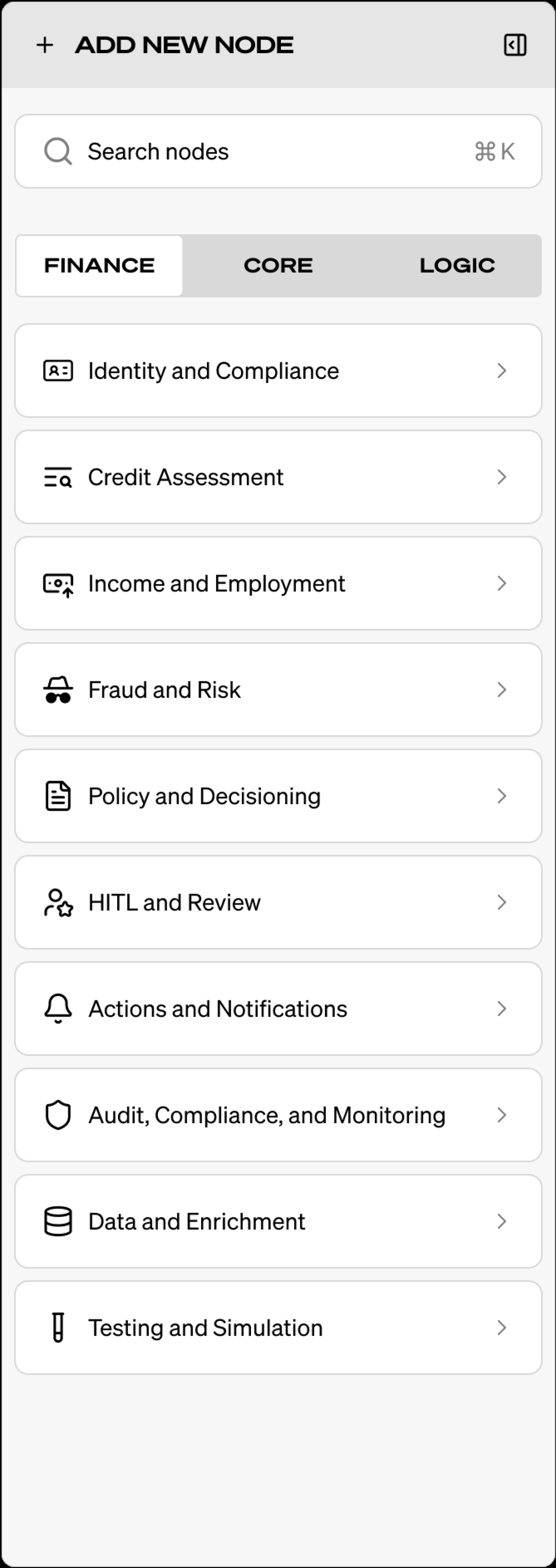
My most important goal was to help non-technical users build workflows with little or no technical knowledge. I created a Finance Nodes category for common banking actions such as identity checks, credit assessment, fraud and risk, policy decisions, notifications, and review.
Each category could contain reusable node types. A common framework would let the same nodes work across different account and business settings. If that proved difficult, a user-owned node component library could let teams save and reuse their own configurations, reducing repeated setup and cognitive load.
I saw this as a path toward what I hoped could be the first truly no-code platform for banking solutions. That was a product ambition, rather than a launched product claim.